English
  简体中文
简体中文 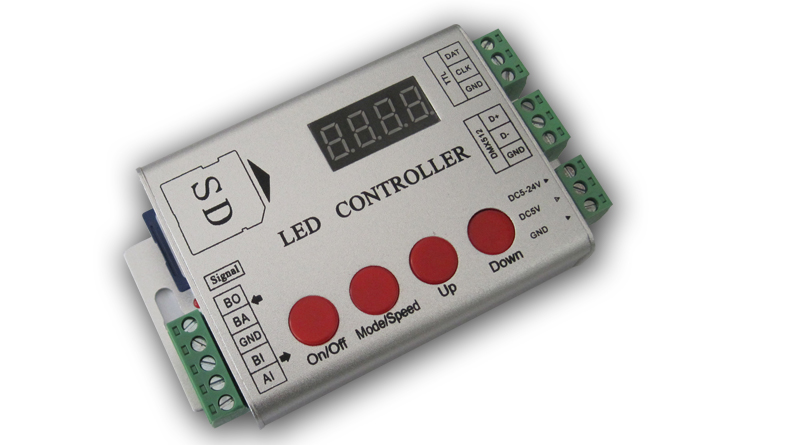
-
First, Overview:
- Inside the pattern 102,then control can be equipped with SD (<4G).
- Call internal pattern afterthe boot without SD ,calling SD of animation effect after the boot with SD。RJ-FSD-1000D can send DMX512 & TTL signal。
- using standard DMX512 choose built-in patterns speed and R G B/RGBW。
- Can be more than one, the synchronization signal recommend no more than 50 meters, measured 100 meter.
- The maximum drive 2048 pixels. The maximum refresh rate of 30 frame rate(<512 pixels)。
- The maximum distance between the controller and lighting TTL is <15m;485 signal <30 meters TTL simultaneously and then 10 or so pieces。
| Power Supply | DC5-24V |
| Specifications | L122 *W 73* H25 |
| Weight | 0.2Kg |
| Power | 3W |
Second, support IC:
| Support IC | Specific models |
| TM | TM1803 TM1804 TM1913 TM1809 TM1812 TM1914 TM1829 |
| UCS | UCS2903 UCS2909 UCS2912 UCS1903 UCS1909 UCS1912 |
| WS | WS2801 WS2812 WS2811 |
| INK1003 | INK1003 |
| LPD | LDP6803 LDP8806 LDP1109 |
| D705 | D705 |
| SM | SM16716 SM16726 16703 DMX512 |
| APA102 | APA102 |
| DMX512 | DMX512 |
| P9813 P9803 | |
| SK6812 | RGB/RGBW |
| Other models, please contact our advice. |
Three, automatic discriminant SD card or internal pattern
Boot automatically when judging whether a card, a card call SD pattern, no card automatically calls the internal pattern.
-
pattern & speed.
1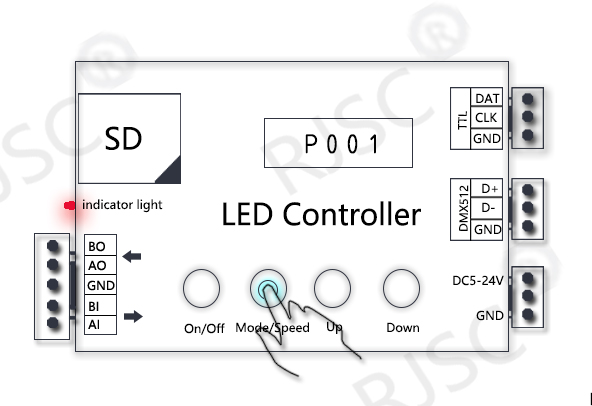 2
2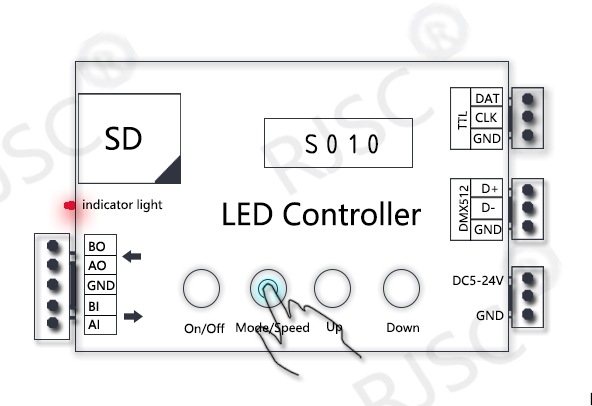
- under the SD card status ,you can select the pattern and speed through the key, where [on/off]key is invalid. No card and other operations ,as detailed below.
- Press[mode/speed]Th second key to cycle through S001 and P001,S beginning representative rate, P beginning representative pattern (Figure 1),
this time through the [UP] and [DOWN] to increase or decrease.
- Press the second button [MODE/SPEED} to display A000,A representative DMX512 address, attention DMX address decode and use only standard DMX512 console
control only useful built-in patterns. Increases and decreases with the UP and DOWN keys.
-
Wiring
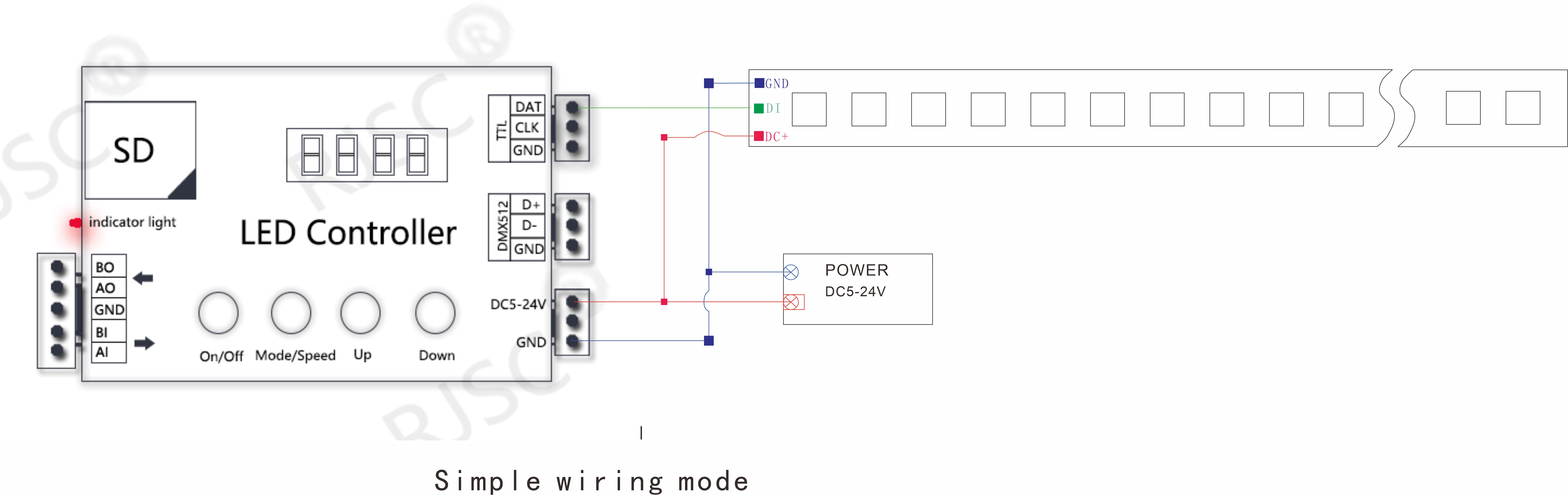
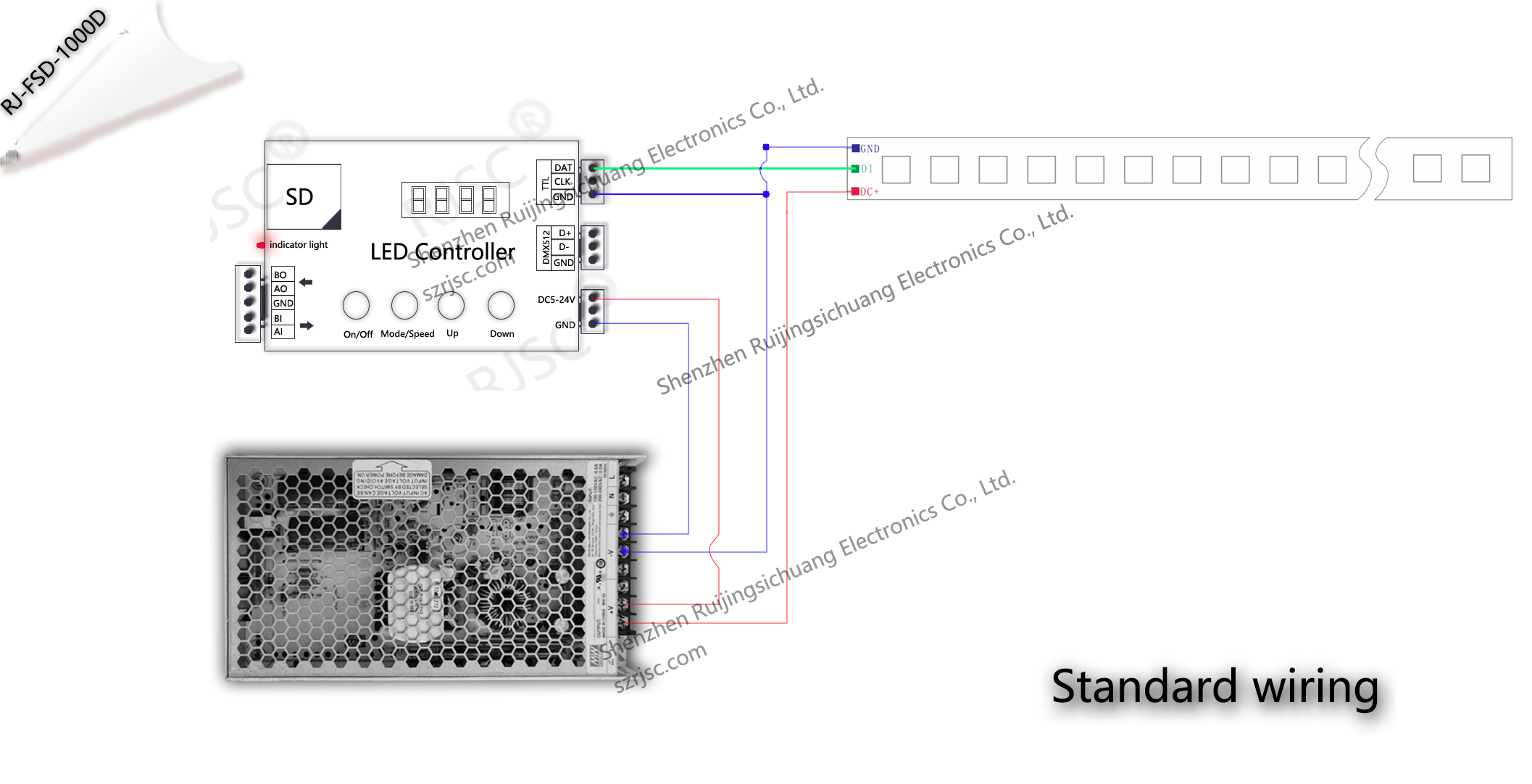
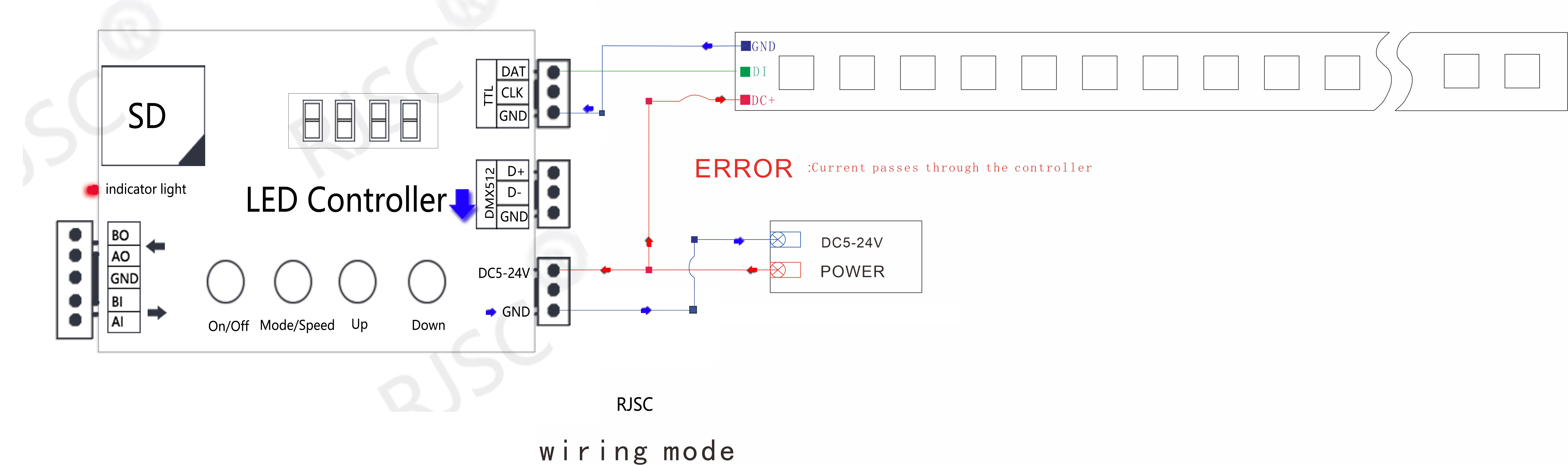
- WS2811/2812 UCS1903/2903 SM16703 TM1803/1804/1812 etc. (TTL single wire lamp)
Simple wiring mode
Standard wiring
[error]
-
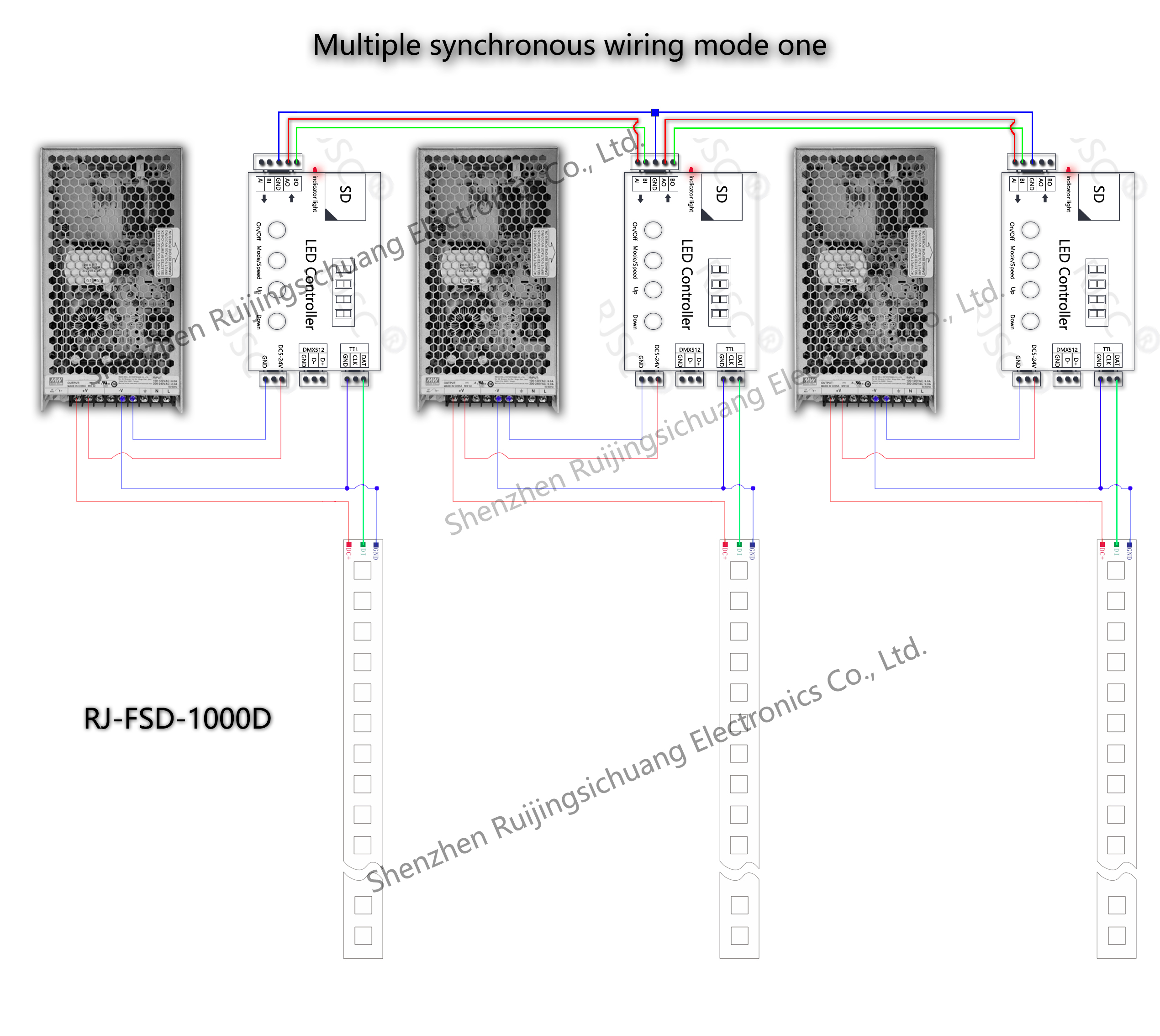
Multiple controller for synchronous operation
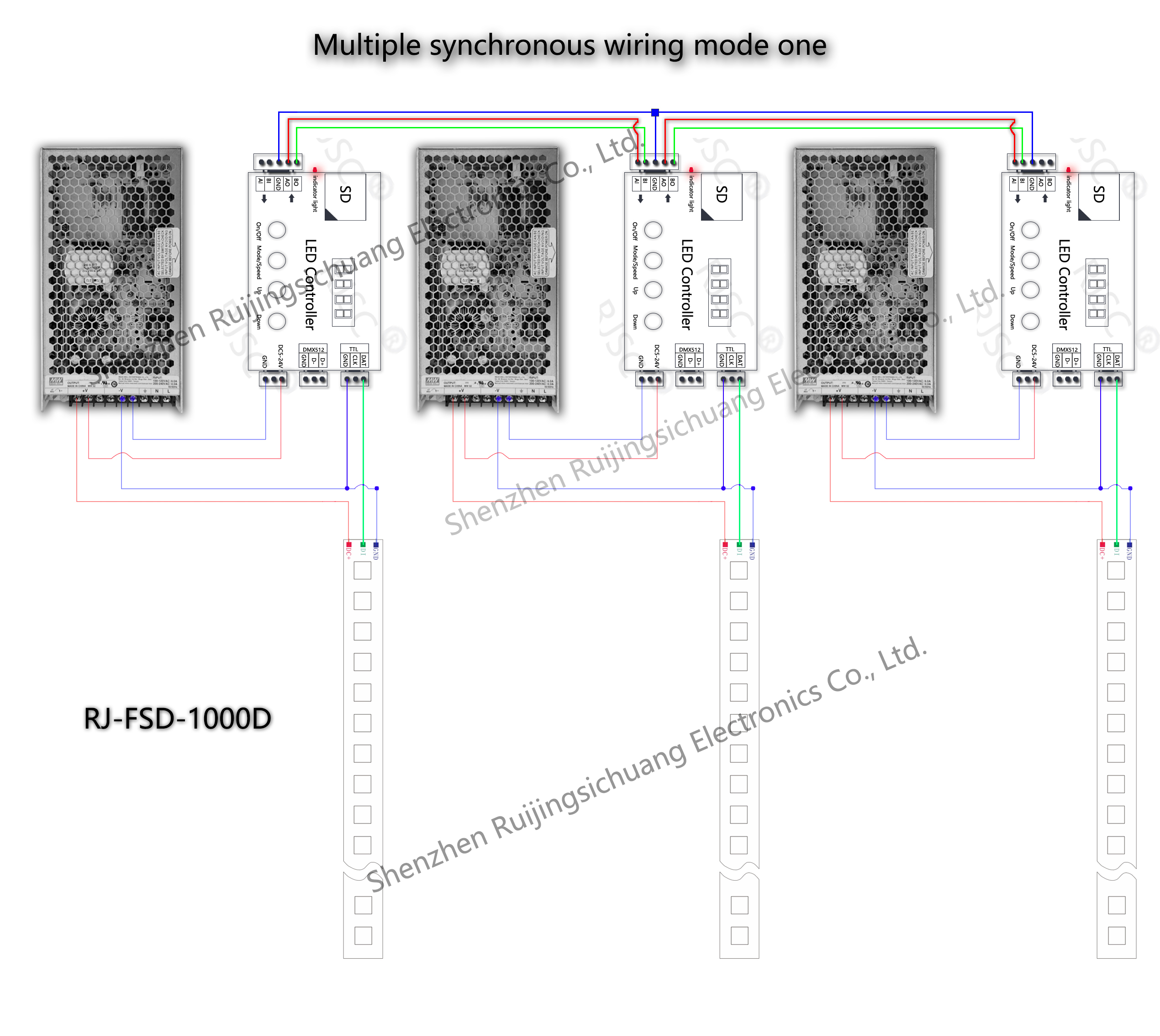
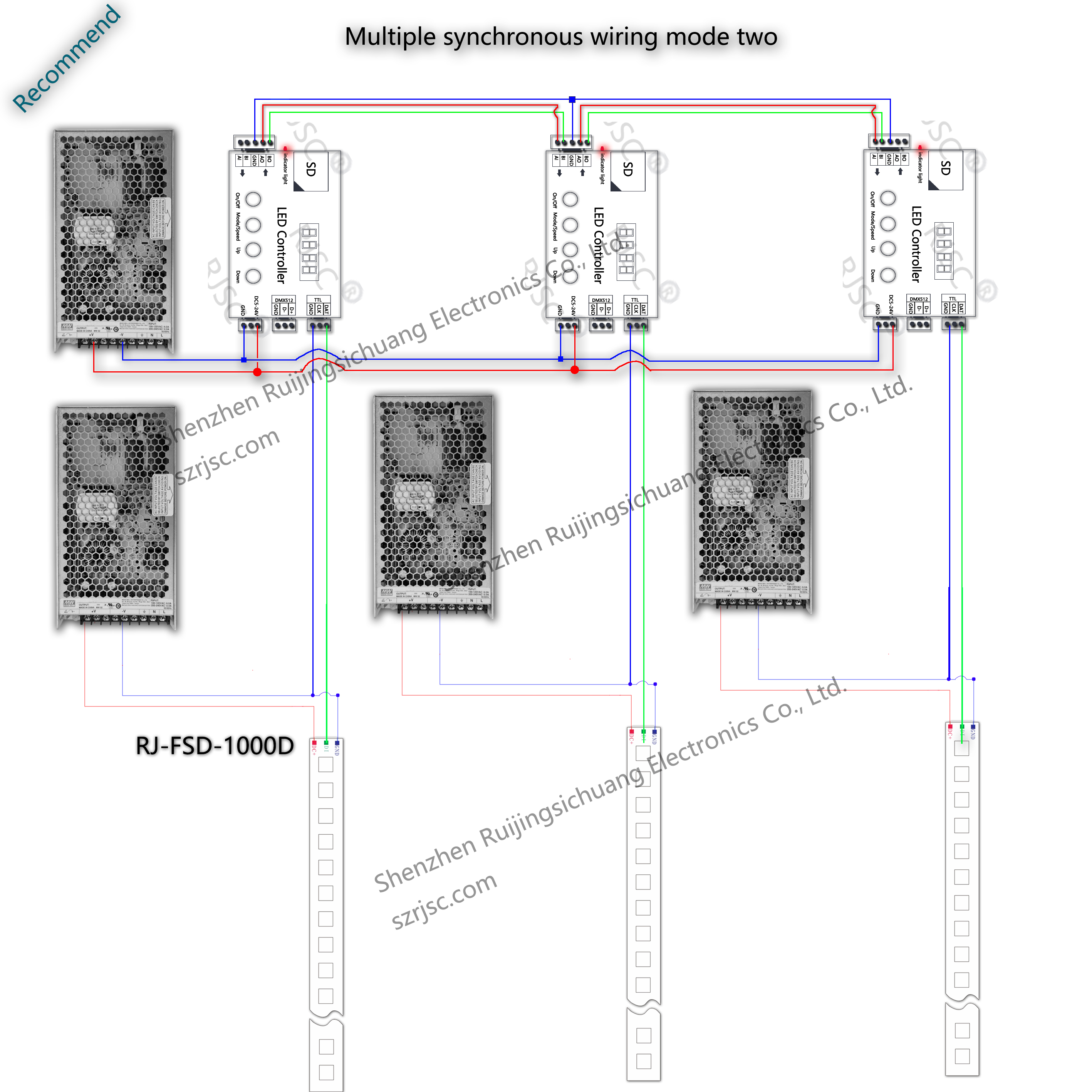
TTL: single-and two-wire signal interface.
DAT: Data
CLK: Clock
GND: Signal ground
DMX512: selected models DMX512 DMX 512 signal is sent, the differential signal is sent when the other models; board with 485 receiving the signal transmitted farther.
D+: DMX512 signal A
D-: DMX512 signal B,
GND: normal circumstances without wiring.
- Internal pattern instructions
-
Election IC Type(Built-in mode only):
1 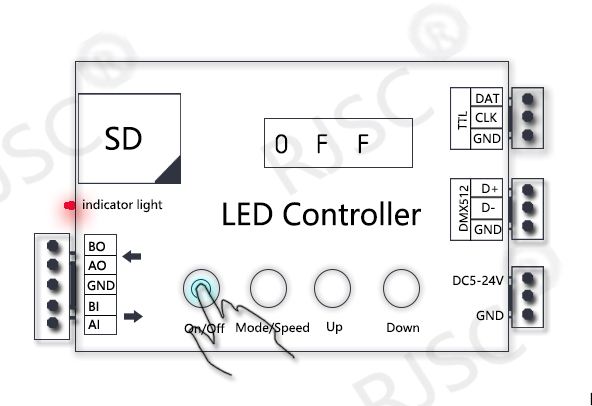 2
2 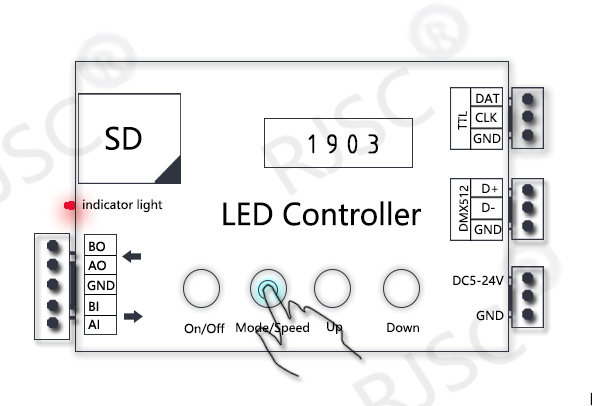
- First press the [ON/Off] key to display OFF enter programming mode(Figure 1)
- Then press the[Mode/Speed] Select (Figure 2),
choose the right model and then take [On/Off] key to exit.
-
Control points set(Built-in mode only)
1 2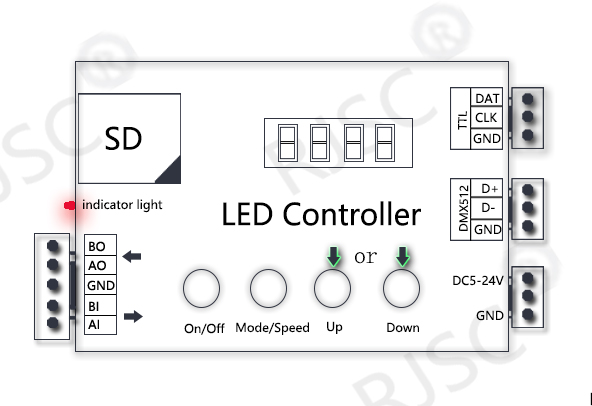
First press the [ON/OFF] key to enter the programming screen display OFF state.
[UP]and[DOWN] set points.Then[On/Off] key to exit.
-
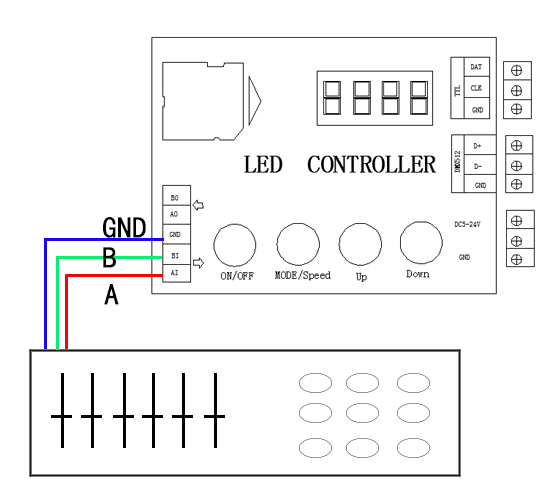
DMX512
-
A DMX512 console controls the internal patterns or SD card patterns of the RJ-FSD-1000B. Multiple units can be used synchronously, and the wiring should be connected to the first unit.
-
The controller occupies 5 DMX512 channels.
Channel 1: Pattern
Channel 2: Speed
Channels 3–5: RGB brightness values.
-
The pattern step value is 2. The first pattern is 0–1, the second pattern is 2–3… the Nth pattern is (N-1)–N.
-
The controller’s default DMX512 address is A000. Press and hold the second Mode/Speed button to display it, then press UP or Down to set it.
Address (A), occupied channels are A-(A+5), 5 channels in total.
For example:
A000 occupies DMX512 CH 1–5
A001 occupies CH 2–6